
Callas PDF Toolbox 4
ALL-IN-ONE PDF PRODUCTION TOOLBOX
 The callas pdfToolbox 4 plug-in adds a whole slew of useful functions to Acrobat. In fact, it adds so many functions, using it might seem slightly overwhelming at first. Luckily, most of the functions are straightforward and easy to use.
The more interesting functions include: imposition for arranging pages for print; preparing files for slide presentation and handouts; importing the PDF into InDesign or QuarkXPress for layered edits; scaling pages or content; replacing or outlining fonts; converting 4/C black to 100K; adding, removing, importing, or flattening layers; and generating extensive reports about fonts, images, and colors. Other functions include converting the PDF to various prepress standards; increasing minimum line width; flattening transparency; converting color; and downsampling images; however, most of these functions can be performed in Acrobat without the aid of a plug-in (but the plug-in makes the features easy to access).
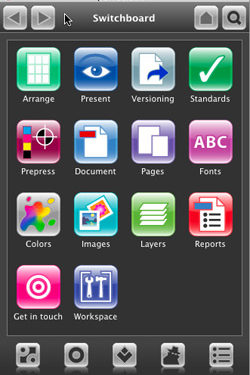
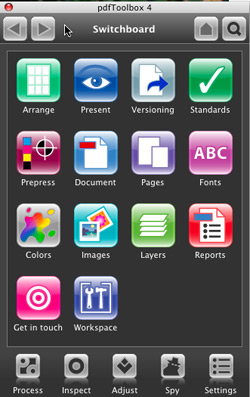
The plug-in is easy to use: Begin with the Switchboard, which is a shortcut panel to all the available functions. Most of the functions have secondary choices, then there may be other choices before you finally execute the function. Some of the features are fairly unique and useful, such as the ability to split page layouts in half (handy for layouts output as spreads) or to split files apart by content (e.g., one file for text and one for graphics). The plug-in simply offers too many features to cover each one in detail, but if any of the aforementioned features sound like ones you need, be sure to check out this plug-in.—David Creamer
PRICE: $645
FROM: callas software GmbH
WEB: www.callassoftware.com
RATING: 4.5
LAYERS VERDICT
HOT Multitude of PDF functions
NOT Some functions dupe native prepress Acrobat functions