Cover Story
30 A Branded World
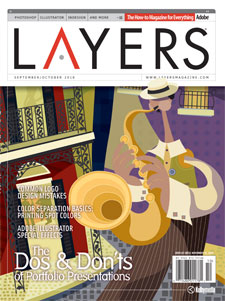
Bad logo design, step aside. Here we discuss 12 common logo mistakes for you to avoid while creating a name for your clients. You wouldn’t want to be labeled as an “amateur”, would you? Better turn the page. —Jacob Cass
Columns
22 Design Makeover — Jake Widman
28 Artistic Expressions — Bert Monroy
58 The Art of Type — James Felici
Departments
8 Letter from the Editor
12 Layers News
18 Designer Spotlight
20 The Digital Canvas
84 Tips & Tricks
86 Creative Suite Q&A
98 The Back Page
Tutorials
42 Digital Photography:
HDR Pro in Photoshop CS5—Seán Duggan48 Adobe Photoshop CS5:
Creating Color Separations—Dave Cross54 Adobe Illustrator CS5:
Dramatic Shadow Effects—Corey Barker60 Adobe InDesign CS5:
Creating iBooks (EPUBs)—Terry White66 Adobe Dreamweaver CS5:
Editing CS5 Layouts—Janine Warner72 Adobe Flash CS5 Professional:
ActionScript Made Easy—Paul TraniReviews
78 Poser Pro 2010—Bruce Bicknell
79 FxFactory 2–100—Marcus Geduld
79 SWF & FLV Toolbox 4—Cyndy Cashman
80 Toon Boom Animate 2—Marcus Geduld
80 Package Central—David Creamer
82 Olympus PEN E-P2—Steve Baczewski
