
DesignMerge for InDesign
PLUG-IN FOR VARIABLE DATA PRINTING
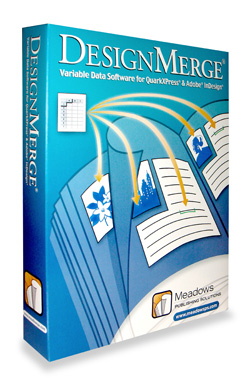
DesignMerge is a plug-in that allows custom printing based on an exported database file. Why should you spend that kind of money on a database plug-in when InDesign comes with Data Merge? Well, there are several critical differences between the plug-ins:
First, DesignMerge merges the data during printing. Say your database contains 1,000 records, unlike Data Merge, the InDesign document doesn’t end up with a 1,000-page document; it prints a single-page document 1,000 times. More importantly, if you’re printing to a PPML supporting device, the common elements can be processed once, and only the changed data is processed per page. DesignMerge also supports multi-up layouts for gang printing, allowing users to create multiple layouts on a single page and sequence the data to each template.
Second—and perhaps the most important feature—DesignMerge supports conditional rules. Say the database contains information about a person’s gender (or other condition), the text, graphic, or entire layout can change based on the supplied data. Also included is a PostNet font for generating USPS codes and an add-in that can create retail-oriented barcodes.
Third, DesignMerge includes the CopyFit plug-in that allows text to be resized according to set rules when the database text won’t fit in the allowed space. After you connect to the database file, just insert the fields and apply any conditional rules to them. Then using the onscreen preview, you can inspect the setup of the merged data before printing.
One minor issue: The database text must be an exported (typically tab-delimited) file, as DesignMerge for InDesign doesn’t yet support direct database connectivity.
The product is not inexpensive and, although its ease of use belies its power, DesignMerge can be worth every penny.—David Creamer
PRICE: Quoted (Approx. $1,000–3,000)
FROM: Meadows Publishing Solutions
WEB: www.meadowsps.com
RATING: 4.5
LAYERS VERDICT
HOT Variable data printing by conditional rules
NOT No ODBC connectivity in InDesign version yet
Visitor Comments »
Comment by Rob Henderson | January 7, 2009 @ 6:12 pm
Our company looked into all VDP packages and found that DesignMerge was the Best fit for us.
We have been using designmerge for a while now. This product greatly fits our needs,
with the ability to stay within Indesign and Quark, PC or Mac really saves time and stops errors. The ability to create quick Data Previews, proofing via PDF, or Page Layout Proofs has saved countless hours and thousands of dollars. DesignMerge has all the abilities we need, Less expensive, great support. We process all different types of pieces from straight presort to complex variable text and images with multiple page layouts.
DesignMerge has handled all these files with ease including files in the hundreds of thousands.
Comment by Stosh Sitkowski | January 8, 2009 @ 11:17 am
Working for an internal marketing department that produces approximately 300 newspaper adverts a week as well as sales literature which are all packed with content, we have found DesignMerge to be an incredibly powerful and indispensable tool. With a bit of setting up, it has saved us countless hours in routine data entry. With full granular control and great functionality, the sky’s pretty much the limit as to what you can achieve with this software. I would thoroughly recommend pairing it up with a system with a fast processor just to witness it running at jaw dropping speeds.
Comment by Gordon Orr | January 9, 2009 @ 4:30 am
I’ve been using Design merge for 10 years and it’s been great!
The support group is excellent with helping me understand the new features.
Comment by Damini Rupnarain - The DATA Group of Companies | January 9, 2009 @ 3:26 pm
I did alot of research before choosing a VDP program. This program has more to offer every time I use it. The print is seamless, and the thought these developers put into the details attest to their knowledge of the print industry. It’s like the Photoshop of Variable Data, more features every time you use it, and more potential to accommodate so many facets of customer service.
Comment by Barb Watson | January 11, 2009 @ 12:12 am
Design Merge is really easy to use. To be able to customize any job and add a more personal touch really sets your business apart from the competition.
Comment by Tori Gelinas at Quick William Inc. | January 12, 2009 @ 8:01 am
DesignMerge is a great software tool to have. It allows me to number on my digital press along with variable data and variable imaging. I own both versions InDesign and Quark.
Comment by John Marcucci, President - ChocolateCovers | January 12, 2009 @ 11:48 am
We’ve been using DesignMerge for several years and have found it to be one of the finest if not the finest variable data products available, and is much more affordable than other solutions. It’s powerful, has a simple interface, and best of all you can actually speak with a friendly human if you need support or have questions. As a company, they listen to their users and go the extra mile to make sure you are satisfied.
Comment by Chris | January 20, 2009 @ 1:29 pm
[...] DesignMerge Hi, Here is a nice write up about DesignMerge, along with comments from users! Design Merge | Product Review | Layers Magazine [...]
Pingback by variable data apps - PrintPlanet.com | January 21, 2009 @ 10:19 am
Leave us a comment

- Dragging an Object Between Documents
- TV Scanline Effect
- Trick to the Glossy Effect
- 3D Text
- Changing Type on a Path


Photoshop
Illustrator
Indesign
Dreamweaver
Fireworks
Premiere
Flash
After Effects
Lightroom
Acrobat


