
Digital Juice Fonts
A COLLECTION OF VERSATILE, GREAT-LOOKING FONTS
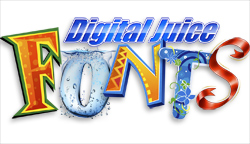 Digital Juice Fonts is a new multivolume collection of layered graphic fonts that can be endlessly customized and used in all of your print, video, and Web projects. Currently, there are three collections containing more than 4,000 individual graphic presets and community fonts (see below): Collection 1 contains 35 font families (2,500+ fonts), Collection 2 has 10 font families (1,000+ fonts), and Collection 3 has 12 font families (850+ fonts). An illustrator has drawn each graphic font, and the results for some are absolutely gorgeous. And each font is separated into 5 to 12 layers so you can easily turn on and off layers, as well as add effects to each layer, using the included Juicer software.
My favorite part of the whole collection is that Digital Juice has built a community aspect into the product that allows users to design and share their own presets. This means you can collect even more graphic fonts for absolutely free. What’s more, many of the community fonts are so good they’re actually worth paying for!
The Digital Juice website has also added a number of much-needed training videos that extends the life of the product. Training includes using Juicer, as well as using DJ Fonts in Adobe Premiere, After Effects, and Photoshop; Apple Motion and Final Cut Pro; and Sony Vegas. With output options from Juicer that includes PNG, JPEG, Targa, TIFF, BMP, and PSD, you’re pretty much guaranteed compatibility with most video, animation, Web, or print applications. Both Mac and Windows OS are fully supported.
All in all, this is a terrific collection for anyone who’s tired of the same old Photoshop layer styles and wants to put a little “art” back into their typography.—Rod Harlan
Company: Digital Juice, Inc.
Price: $149.95–499.95
Web: www.digitaljuice.com
Rating: 4.5
Hot: Quality selection of graphic fonts
Not: Additional activation